
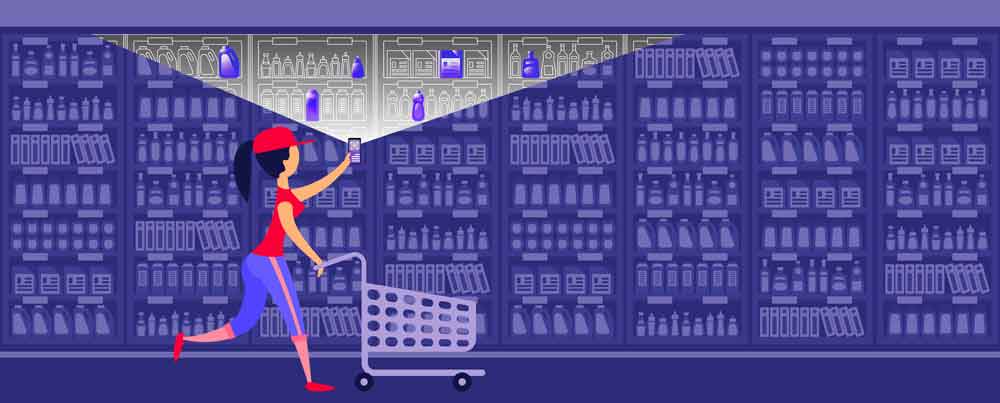
Ensuring QR Code Security: Best Practices for Safe and Secure Scans
In today’s digital age, QR codes have become an everyday tool for accessing information quickly and efficiently. However, with their increasing popularity, QR Codes Security has become a significant concern.
Ensuring QR code security is crucial to prevent unauthorized access to sensitive data and protect users from potential threats. In this article, we will explore the best practices for safe and secure scans, focusing on various aspects of QR Code security.
Most security of QR Codes comes during generation, as once the information is added to the QR Code, it cannot be changed. This means that if your QR code points to your website or social media, it is secure. You can change what is embedded in the QR code.
A dynamic QR code is the same as embedding a database URL, which again can’t be changed. You have to access the database to make any changes. Our database is behind the secure SSl servers.
Understanding QR Code Security
QR code security refers to the measures taken to protect the data encoded in a QR code and the integrity of the scanning process.
Secure QR scans are essential to prevent malicious activities such as phishing attacks, malware distribution, and data breaches. By implementing QR code safety tips and best practices, businesses and individuals can safeguard their information and ensure a secure scanning experience.
Verify Before Scanning: Always confirm the source of a QR code before scanning. If it’s from an unknown or suspicious source, avoid scanning it.
Use Secure QR Code Scanners: Some QR code scanner apps offer additional security features, like checking the URL for known security threats before opening it.
All QR Code security breaches are at the initial generation of the code.
Best Practices for QR Codes
1. Secure QR Code Generation
The first step in ensuring QR code security is to generate codes using reputable and secure platforms. QR Codes Australia has its generators based in Australia, in Melbourne and Sydney, on secure encrypted servers.
Secure QR Code generation involves encrypting the data encoded in the QR Code to prevent unauthorized access.
This encryption adds an extra layer of security, making it more challenging for attackers to decode the information.
It’s important to note that encrypting the data adds an extra layer of security, but it also increases the complexity of the QR code, which can make it more challenging to scan. Therefore, it’s essential to balance security needs with usability when implementing QR code encryption.
In most cases, your QR code will point to a website, etc., so the security of the QR code is sufficient as it can never be changed.
2. QR Code Encryption
Encrypting the data within the QR code is crucial for protecting sensitive information.
QR code encryption can be achieved through various methods, such as using secure algorithms and encryption keys.
By encrypting the data, you ensure that even if the QR code is intercepted, the information remains inaccessible to unauthorized users.
This is a similar process to everything on the Web. Most QR codes will not need such encryption, and many of the destinations will already be secure. Apple will not open a website unless an SSL certificate is present.
3. QR Code Authentication
Implementing QR code authentication mechanisms is another vital practice for enhancing security.
Authentication ensures that only authorized users can access the data encoded in the QR code. This can be achieved through multi-factor authentication, digital signatures, or other secure authentication methods.
Again, much of this is server-side and not embedded in the QR code.
4. Safe QR Code Usage
Educating users about safe QR code usage is essential for preventing security breaches.
Users should be cautious when scanning QR codes, especially those from unknown or suspicious sources.
It’s important to use trusted QR code scanning applications and verify the authenticity of the code before scanning.
5. QR Code Scanning Security
When it comes to choosing a secure QR code scanner for smartphones, it’s essential to select an app that offers robust security features and is compatible with various smartphone models. Here are some highly regarded QR code scanner apps that are known for their security and broad compatibility:
- Kaspersky QR Scanner: Developed by a well-known cybersecurity company, Kaspersky QR Scanner offers enhanced security features, including checking the safety of scanned links and protecting against malicious QR codes. This is the one I use, as it checks the URL first and asks if you are happy to continue.
- Norton Snap QR Code Reader: Norton Snap is another security-focused QR code scanner from a reputable antivirus software provider. It checks the safety of websites linked to QR codes and alerts users to potential threats.
- Avast Secure Browser: While primarily a web browser, Avast Secure Browser includes a built-in QR code scanner with security features that protect against malicious websites and phishing attempts.
- QR Code Reader by Scan: This app is a popular choice for its simplicity and efficiency. It offers basic security features, such as checking the URLs for safety before opening them.
- NeoReader: NeoReader is a versatile QR code scanner that supports a wide range of barcode types. It offers a secure scanning experience and is compatible with most smartphone models.
When using a QR code scanner, it’s important to keep the app updated to ensure you have the latest security features. Additionally, always be cautious when scanning codes from unknown or untrusted sources, as QR codes can be used to link to malicious websites or download harmful files.
Tips and Recommendations
- Regularly update your QR code scanning application to ensure it has the latest security features.
- Educate your users or employees about the risks associated with QR codes and provide guidelines for safe scanning practices.
- Consider using dynamic QR codes, which allow you to change the encoded information without altering the QR code itself. This can be useful for updating security measures or correcting errors.
- Monitor your QR codes for any suspicious activity, and be prepared to take action if a security breach is detected.
Conclusion
Ensuring QR code security is essential in today’s digital landscape. By following best practices for secure QR code generation, encryption, authentication, and scanning, you can protect your data and provide a safe scanning experience for users.
Remember to stay vigilant and educate those around you about the importance of QR code security.
By taking these precautions, you can leverage the convenience of QR codes while minimizing the risks associated with their use.

