
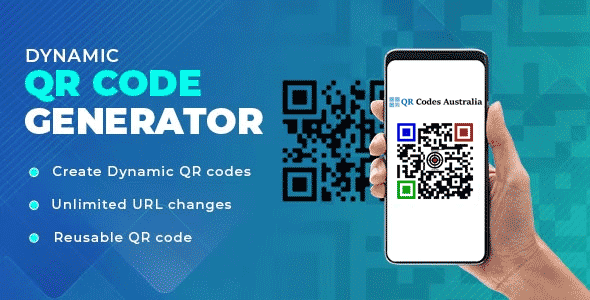
Discover how to use a Dynamic QR Code Generator. QR codes have become a ubiquitous part of our lives. They offer an easy and efficient way to share information with others. But did you know that you can create dynamic QR codes that can do so much more? A dynamic QR code is a type of QR code that allows you to update the content it links to, even after it has been printed. In this article, we will show you how to use a dynamic QR code generator to create and customize your own dynamic QR codes.
What are Dynamic QR Codes?
Dynamic QR codes are a type of QR code that can be updated with new information even after they have been printed. Unlike static QR codes, which contain a fixed amount of information, a Dynamic QR Code Generator allows for editing to include new content. This makes them a more versatile and flexible option for businesses and individuals alike.
QR Codes created with Dynamic QR Code Generator can be used for a variety of purposes, such as directing people to a specific webpage, sharing contact details, or promoting your business. They offer a powerful tool for engaging with your audience and sharing information in a more dynamic and interactive way.
Benefits of Dynamic QR Codes
There are many benefits to using dynamic QR codes. One of the main advantages is that they can be updated with new content, even after they have been printed. This means that you can change the information your QR code links to without having to reprint or redesign it. This makes dynamic QR codes a more cost-effective and efficient option for businesses and individuals alike.
Another benefit of dynamic QR codes is that they can be customized to suit your needs. You can choose from a variety of design options to make your QR code more visually appealing, and you can also add your own branding and logos to make it more recognizable. This can all be achieved with a Dynamic QR Code Generator.
Dynamic QR codes can also be tracked and analyzed, which makes them a valuable tool for businesses looking to measure the success of their marketing campaigns. By tracking QR code scans, businesses can gain valuable insights into their audience and make data-driven decisions to improve their marketing efforts.
Dynamic QR Code Generator
To create a dynamic QR code, you will need to use a dynamic QR code generator. There are many different QR code generators available online, each with their own set of features and capabilities.
When choosing a dynamic QR code generator, it’s important to consider your specific needs and requirements. Some generators offer more customization options, while others may be more user-friendly or offer more advanced tracking and analytics features.
There are very few businesses in Australia that supply a Dynamic QR Code Generator and many who say they do are listed overseas and just asccessing the Australian market.
Our servers are based in Melbourne and our business is based in Brisbane so you are dealing with a local business. Many of the other companies are based overseas in Europe and America and also have great systems however very hard to contact them.
How to Create a Dynamic QR Code
Creating a dynamic QR code is a simple process that can be completed in just a few easy steps.
- Choose a dynamic QR code generator: Select a dynamic QR code generator that meets your needs and requirements.
- Enter your content: Enter the URL for the website you want your QR code to link to. Dynamic QR Codes w on ink to web based nformation. Ths is why we can track and change destnations.
- Customize your QR code: Choose from a range of design options to customize your QR code and make it more visually appealing. We suggest using a third party so you can save and re edit at a latter date without regenerating and loosing all the stats.
- Generate your QR code: Once you have entered your content and customized your QR code, generate it and download it to your device.
- Test your QR code: Before printing or sharing your QR code, be sure to test it to ensure that it is working correctly.
Customizing Your Dynamic QR Code
One of the main benefits of using a Dynamic QR Code Generator is that they can be customized to suit your needs. You can choose from a range of design options to make your QR code more visually appealing and add your own branding and logos.
When customizing your QR code, it’s important to consider your audience and the purpose of your QR code. For example, if you are using a QR code to promote your business, you may want to add your logo or branding to make it more recognizable.
You can also choose from a range of design options, such as adding colors, shapes, or images to your QR code. This can help to make your QR code more visually appealing and engaging for your audience.ific webpage, dynamic QR codes are a versatile and cost-effective option that can help you achieve your goals. So, start using dynamic QR codes today and see how they can help you engage with your audience and share information in a more dynamic and interactive way.
Updating Your Dynamic QR Code Content
One of the main advantages of of using a Dynamic QR Code Generator is that they can be updated with new content, even after they have been printed. This means that you can change the information your QR code links to without having to reprint or redesign it.
To update your dynamic QR code content, simply log in to your QR code generator and edit the content. You can update the link or information your QR code links to, or you can make changes to the design or branding of your QR code.
By updating your QR code content regularly, you can keep your audience engaged and ensure that your QR code remains relevant and useful.
Best Practices for Using Dynamic QR Codes
When using dynamic QR codes, there are some best practices to keep in mind to ensure that you are using them effectively and efficiently.
- Keep your QR code simple: Make sure that your QR code is easy to scan and that the information it links to is relevant and useful.
- Test your QR code: Before printing or sharing your QR code, be sure to test it to ensure that it is working correctly.
- Use QR codes in the right context: QR codes are most effective when used in the right context. For example, they can be useful for promoting your business, sharing contact details, or providing more information about a product or service.
- Analyze your QR code data: Track and analyze your QR code data to gain insights into your audience and improve your marketing efforts.
Examples of Creative Uses for Dynamic QR Codes
Dynamic QR codes can be used in a variety of creative ways to engage with your audience and share information in a more dynamic way. Here are some examples of creative uses for dynamic QR codes:
- Business cards: Include a dynamic QR code on your business card to share your contact details or link to your website.
- Restaurant menus: Include a QR code on your restaurant menu to provide more information about your dishes or to link to special promotions.
- Product packaging: Include a QR code on your product packaging to provide more information about your product or to link to special offers.
- Event promotions: Use dynamic QR codes to promote your events and share information about speakers, schedules, and more.
- Real estate listings: Include a dynamic QR code on your real estate listings to provide more information about the property or to link to a virtual tour.
- Events: A Dynamic QR Code Generator is great for this as you can send people to register, when event is on link to speakers etc, when it is finished link to merchandise and videos.
Conclusion
Dynamic QR codes offer a powerful tool for engaging with your audience and sharing information in a more dynamic and interactive way. By using a dynamic QR code generator, you can create and customize your own dynamic QR codes to suit your specific needs and requirements.
Whether you want to promote your business, share your contact details, or direct people to a specific webpage, dynamic QR codes are a versatile and cost-effective option that can help you achieve your goals. So, start using dynamic QR codes today and see how they can help you engage with your audience and share information in a more dynamic and interactive way.

